Javan Digital Products
CEO Monitor: Organizational Performance Visibility in One Dashboard
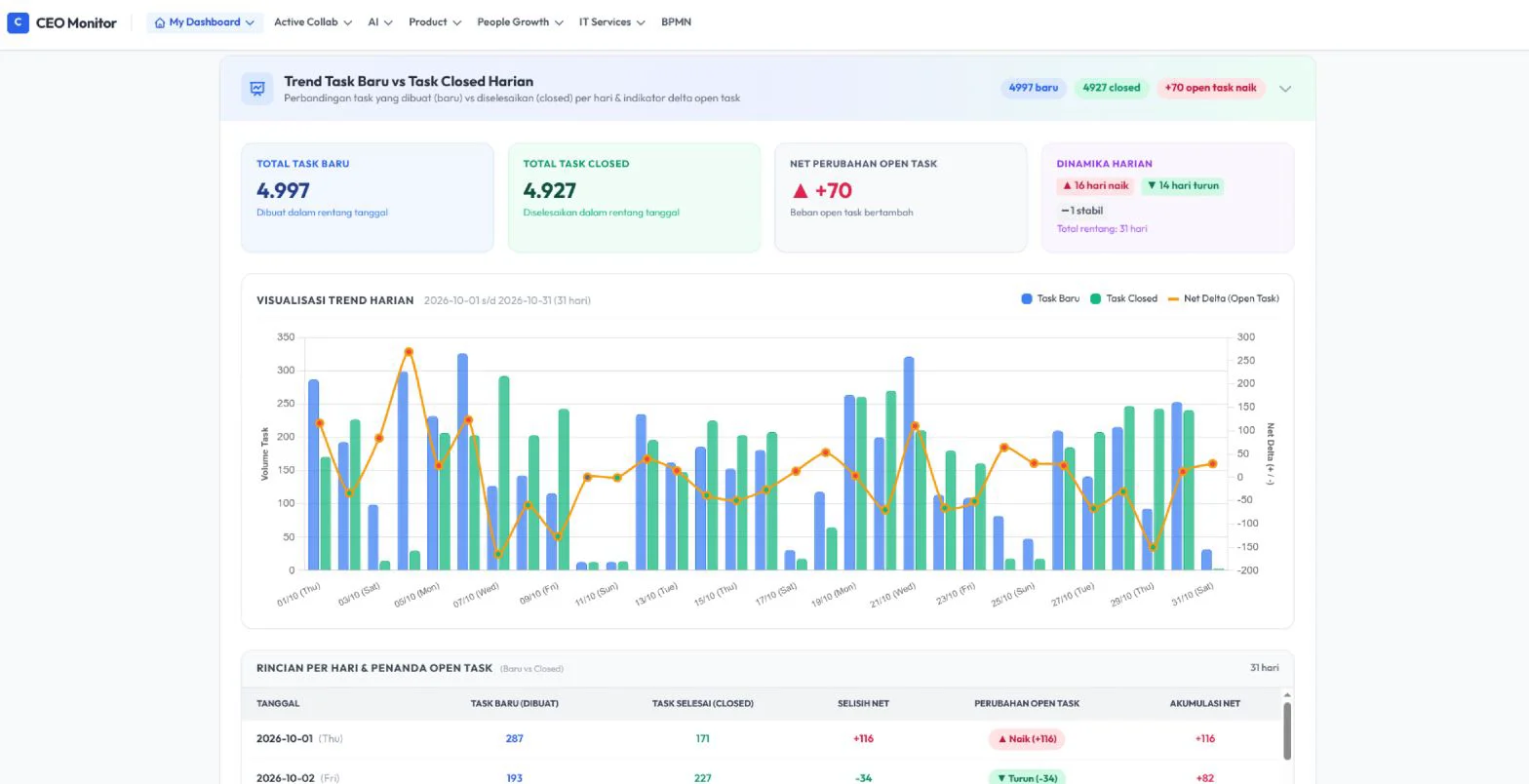
CEO Monitor gives leaders and top management a real-time picture of organizational performance, from individual productivity and sales to business targets, with data from ActiveCollab and Odoo.
Context
Leaders need one picture, not many separate reports.
Work, sales, and financial data are usually scattered across several systems. CEO Monitor connects your existing systems and presents them in one dashboard so there are no blind spots at the leadership level.
Main Modules
What you can monitor with CEO Monitor
Measures each employee's performance from task activity in ActiveCollab over one calendar month, complete with executor, supervisor, and managerial scores and trends per period.
Tracks monthly business targets for each company: signed contracts, revenue, gross profit, net profit, and timeliness, compared against their targets.
Summarizes Objectives and Key Results across monthly, quarterly, and yearly periods for each company in a single view.
Tracks the sales funnel from quotation to sales order per month per company, with targets, actuals, and achievement.
Personalized daily messages are sent to individuals via Telegram, so important findings reach the right person without having to open the dashboard.
Frequently Asked Questions
Frequently asked questions
CEO Monitor combines data from ActiveCollab for tasks and projects, Odoo for finance, HR, sales, and projects, and Telegram as the notification channel, then displays it all in one dashboard.
Heavy data such as KPIs, SBG, and OKRs is stored as snapshots periodically or on demand via the Fetch Data button, so the dashboard stays fast even when the source data is large.
Each user has access rights per module. A superadmin sets which modules each user may open from the Access Rights page.
Next Steps
Want to see your organization's performance on one screen?
The Javan team can demonstrate CEO Monitor and discuss which data needs to be connected in your organization.